
EV Charger Maintenance and Lifespan: Keeping a Home Charger Running in Laguna Niguel
A home EV charger spends years bolted to a garage wall only a few miles from the Pacific, and in Laguna Niguel that means salt-laden coastal air drifts past it every time the door rolls up. The good news is that a Level 2 charger is one of the lowest-maintenance appliances you will ever own, but low-maintenance is not no-maintenance. This guide covers how long a home charger lasts, the handful of routine checks that keep it running, how to inspect the cable and connector, cleaning and weather protection for a coastal garage, firmware updates on smart units, and the warning signs that mean it is time to call an electrician.
How Long a Home EV Charger Lasts
A well-made Level 2 home charger typically lasts around ten years or more, well beyond the warranty that ships with it. Most residential units carry a manufacturer warranty of three to five years, and that figure is a floor on expected life rather than a ceiling: the hardware keeps working past it when the circuit behind it is sound and the unit is treated well. A charger is also idle for most of its life. ENERGY STAR notes that home chargers sit in standby mode roughly 85 percent of the time, actively passing current only during the hours a car is plugged in, and that light duty cycle is part of why a charger outlasts most garage appliances. What shortens its life is rarely the electronics. It is usually a cable that gets run over, a connector left out in the weather, or a circuit that was undersized from the start and runs hot for years.
The Routine Care a Level 2 Charger Needs
Routine care for a home charger comes down to a short visual check a few times a year, not a scheduled service appointment. ENERGY STAR points out that charging equipment may require periodic inspection, testing, and preventive maintenance, while adding that annual maintenance costs are generally low. In practice that means looking the unit over every few months: confirm it is still mounted firmly to the wall, that the enclosure has no cracks, that the status light behaves normally, and that nothing has started to discolor or feel warm during a charge. Wipe the dust off the housing, clear away anything stored against it, and keep the area around it dry and ventilated. None of this takes more than a few minutes, and catching a loose mount or a frayed spot early is what keeps a small issue from turning into a dead charger.
Inspecting the Cable and Connector
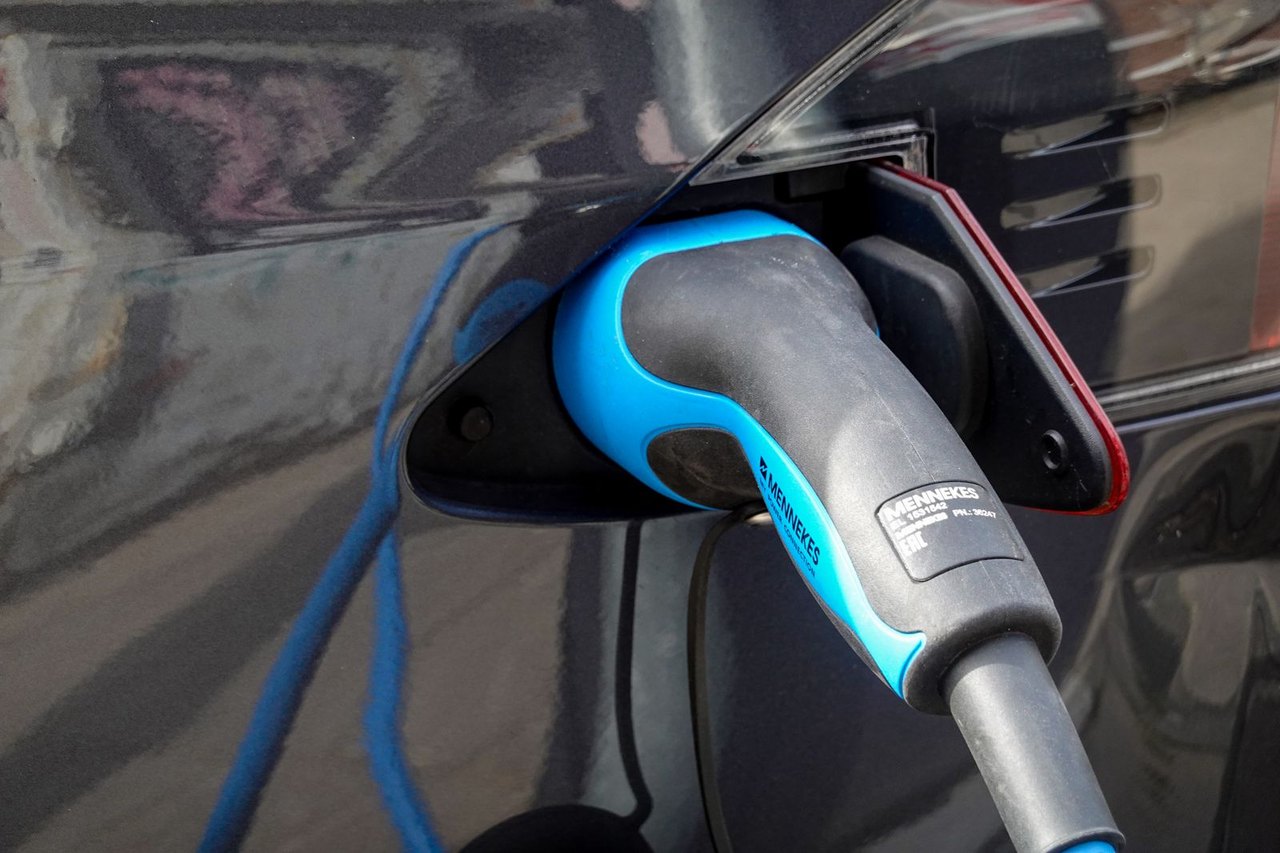
The charging cable and its connector are the parts that wear first, because they are handled every day. Tesla's Wall Connector manual advises coiling the cable loosely onto the unit or an approved wall hook and avoiding tight wraps, sharp bends, small loops, or twisting the cable against itself, all of which stress the conductors inside over time. It also says not to hang the full weight of the cable from the handle, and to fully uncoil, straighten, and re-coil the cable about every ten to fifteen charging sessions so it does not take a permanent set. Inspect the connector itself for bent or corroded pins, debris, or melted spots, and store the handle in its holster or dock between charges to keep moisture and grit off the contacts. A cable with a cracked jacket, or a connector that feels hot during a charge, should be taken out of service until an electrician looks at it.
Cleaning the Unit Without Damaging It
Cleaning a home charger safely starts at the breaker, not at the unit. Tesla's manual is explicit that you should turn off power at the circuit breaker before cleaning the Wall Connector, and that you should never spray water or any other liquid directly at the control box or the charge handle, nor submerge the handle in liquid. A dry or lightly damp cloth is all a wall unit needs; the goal is to lift dust and grime, not to pressure-wash it. Most quality chargers carry a weather rating. Tesla's Wall Connector is IP55, meaning it is built to resist dust and low-pressure water jets, but that rating protects it from the weather, not from a hose aimed at the seams. Keep the connector contacts clean and dry, and never use solvents or abrasives on the housing.
Firmware Updates Keep a Smart Charger Healthy
On a smart or Wi-Fi charger, firmware updates are part of maintenance, and skipping them is a quiet way to lose features. Many ENERGY STAR certified chargers are connected, or networked, which allows remote monitoring and control of the charging state, and that same connection is how the manufacturer pushes firmware. Updates can improve charging reliability, fix bugs that cause dropped sessions, refine scheduling against time-of-use rates, and patch security issues on a device that lives on your home network. The practical step is simple: keep the charger connected to Wi-Fi with the companion app installed, and let updates install when prompted, as most apply automatically overnight when the unit is idle. A charger that has quietly fallen off the network for months is one you can no longer monitor and one that stops receiving those fixes, so confirming the connection is live belongs in your periodic check.
Coastal Salt Air and Heat in a Laguna Niguel Garage
Laguna Niguel's coastal setting puts two specific stresses on a home charger: salt air and summer heat. The city sits only a few miles from the ocean, so marine-layer humidity and salt-laden air reach garages whenever the door is open, and over years that can corrode exposed metal contacts and hardware. The simplest defense is placement. Mounting the charger inside the garage rather than on an exposed exterior wall keeps the worst of the salt and moisture off it, and the Department of Energy's Alternative Fuels Data Center notes that outdoor installations require outdoor-rated equipment for exactly this reason. Heat matters too. Tesla rates its Wall Connector for operation from minus 22 to 122 degrees Fahrenheit but notes it may begin reducing amperage around 95 degrees ambient, so a charger baking on a sun-facing wall during a Santa Ana event can quietly throttle back. On the hillside and split-level lots common here, where the panel and garage can sit far apart, a clean, shaded, indoor mount protects both the unit and its long cable run.
Warning Signs, and When to Repair or Replace
The clearest warning signs that a charger needs attention are heat, smell, and interrupted charging. A plug or connector that is hot to the touch, any burning or acrid smell, scorch marks or discoloration on the connector, a breaker that trips repeatedly, or a cable with a cracked or cut jacket all mean the unit should be unplugged and inspected before it is used again. Repeated error codes or sessions that keep dropping point to a problem in the charger, the connection, or the circuit feeding it. Whether to repair or replace depends on what failed and how old the unit is: a damaged cable or connector can often be replaced far more cheaply than the whole charger, while a unit past its warranty with failed internal electronics is usually worth replacing with a current model. A licensed electrician can tell the difference and check whether the circuit and breaker behind the charger are the real culprit. If your unit is showing any of these signs, EV charger repair and troubleshooting is the place to start, and the team at Laguna Niguel EV Charger can check whether the charger, the cable, or the Level 2 circuit behind it is at fault before you replace anything.
How often should I service a home EV charger?
A home EV charger does not need scheduled servicing the way a furnace does. A visual inspection two to four times a year is enough for most homes: check the mount, the cable, the connector, and the status light, and confirm a smart unit is still connected to Wi-Fi. Beyond that, service is only needed when something looks or feels wrong, or when an electrician recommends it after an issue.
Do I need to clean the charging connector?
Keeping the connector clean and dry helps, but it needs only occasional, careful attention. Wipe the housing with a dry or lightly damp cloth and keep the handle holstered between charges so dust and moisture stay off the contacts. Never spray water directly at the unit or the handle, and switch off the breaker before cleaning the wall box. Avoid solvents and abrasives entirely.
Does coastal salt air really damage an EV charger?
Over time it can. Salt-laden marine air near the coast accelerates corrosion on exposed metal, which is one reason a garage-mounted charger tends to outlast one on an exposed exterior wall in a city like Laguna Niguel. Outdoor-rated equipment and a sheltered mounting spot are the main protections, and an occasional look at the connector pins will catch early corrosion before it spreads.
Is it worth repairing an EV charger or should I replace it?
It depends on what failed. A worn cable or a damaged connector is often a straightforward, lower-cost repair, while a charger with failed internal electronics that is already past its warranty is usually better replaced with a newer unit. The circuit and breaker behind the charger should be checked at the same time, since a fault there can mimic a failing charger. A licensed electrician can diagnose which it is.
Sources
U.S. Department of Energy, Alternative Fuels Data Center: Charging at Home. ENERGY STAR, EV Chargers. Tesla, Wall Connector Installation Manual (Gen 3).
Is Your Charger Acting Up, or Just Due for a Check?
Whether your home charger is throwing an error, running warm, or you simply want it looked over before the next heat wave, a licensed electrician can inspect the unit, the cable, and the circuit behind it and tell you what, if anything, needs doing. No guesswork and no pressure.
Licensed C-10 Electrical Contractor · EVITP-Certified Installers · Permit and Inspection Included